



Asterisk, Configuring CEL
yum install unixODBC-devel unixODBC Next, we check whether the ODBC driver for MySQL is recognized. Enter the command and you should see the following:
 Blog
Blog
Вопросы - ответы
Posts: 16
yum install unixODBC-devel unixODBC Next, we check whether the ODBC driver for MySQL is recognized. Enter the command and you should see the following:

yum install psmisc


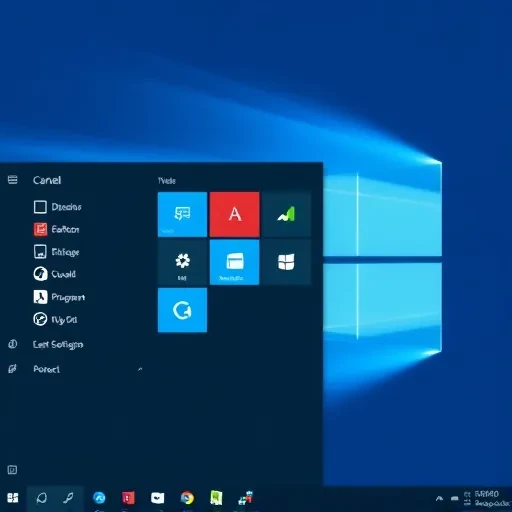
Adding a program (shortcut) to the startup in Windows used to be done by adding it to the Start menu's Startup folder. Starting with Windows 8, the Start menu was removed, and consequently, the ability to drag and drop shortcuts with the mouse was also removed. The menu is still available for both individual users and...

Installing Munin on CentOS/RedHat/Fedora After you have connected the EPEL repository, the installation is performed in a single command. Well then, let's get started: 1 # yum --enablerepo=epel install munin munin-node rrdtool If the command above does not work for you (which I doubt), then…

Kernel configuration Add the following changes to \etc\sysctl.conf and apply them. Disable SELinux. Install OpenSwan. Configure iptables. You need to open incoming UDP ports 50, 500, and 4500. Add the following rules to iptables. Save the changes. Create a key. Create a certificate database; when prompted for a password, press Enter…

beginner's article
*nat :PREROUTING ACCEPT [0:0] #:INPUT DROP [2428:279459] :OUTPUT ACCEPT [0:0] :POSTROUTING ACCEPT [0:0] -A PREROUTING -s 192.168.4.0/24 ! -d 192.168.4.0/24 -p tcp -m tcp --dport 80 -j REDIRECT --to-ports 7777 -A POSTROUTING -s 192.168.4.0/24 -j MASQUERADE COMMIT # Completed on…
#213.108.75.95 - outgoing internet IP #192.168.4.223:3389 - IP and port of the server with port forwarding configured inside the network #213.108.75.yy - outgoing internet IP *nat :PREROUTING ACCEPT [0:0] :POSTROUTING ACCEPT [0:0] :OUTPUT ACCEPT [0:0] #-A PREROUTING -d 213.108.75.yy/32 -p tcp…

Disable SELinux: SELINUX=disabled Reboot the system Install the required packages Install php-pear-DB Download Asterisk: wget http://downloads.asterisk.org/pub/telephony/asterisk/releases/asterisk-1.8.15.1.tar.gz Extract the archive Install Asterisk Create the asterisk user and change the ownership of Asterisk directories Change the Apache user Download FreePBX Extract the archive Start Apache and MySQL Create the FreePBX databases You can set a root password…
LINUX COMMANDS Command Description System Information arch display the computer architecture uname -m uname -r display the currently used kernel version dmidecode -q show hardware system components - (SMBIOS / DMI) hdparm -i /dev/hda output hard disk characteristics hdparm -tT /dev/sda test performance...

A very extensive article My configuration file acl manager proto cache_object acl localhost src 127.0.0.1/32 acl to_localhost dst 127.0.0.0/8 acl wifi_net src 192.168.4.0/24 acl SSL_ports port 443 acl Safe_ports port 80 # http acl Safe_ports port 21 # ftp acl Safe_ports…

2. Creating your own SSL certificate SSLCertificateKeyFile /etc/pki/tls/private/ca.key /etc/http/conf/httpd.conf
yum install bind-utils #!/bin/sh ST=`date +%s%N` for i in `seq 1 100`; do dig ya.ru > /dev/null sleep 0.05 done let ST=(`date +%s%N`-$ST)/1000000 echo $ST should be within 5500

Since I often had to stock up on items at PhotoMag (not by choice), I’ll share my impressions: 1. When selecting components on the website, you often have to wait a long time, especially when using filters; sometimes the page doesn’t fully load at all. 2. The average wait time for products is...