


Capabilities of the 1C Mobile Platform
May 19, 2015 - Programming, Articles - Tags: 1C, About various configurations, Programming - 2 comments
| For a deeper study of 1C, download the book "Developing Operational Accounting in 1C 8.3" |
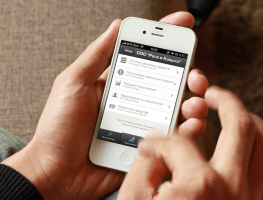
Today I would like to talk about how to use the 1C mobile platform, and what capabilities are implemented in it to optimize employee performance.
But first, what is the 1C mobile platform? It is a special application for smartphones that can be used to automate the work of certain specialists. For example, the application is relevant for couriers working in companies where the 1C program is integrated. They do not have constant access to the platform installed on a computer, but they can use it via a mobile device.
Let's look at an example of a courier's work, who needs to visit clients in a certain sequence (according to a route sheet).
Coordinates on the map
The mobile application allows you to visually summarize all the points that need to be visited. The coordinate points are displayed on the map after synchronization with the central database.
#If MobileApplicationClient Then
LocationCoordinates = New GeographicalCoordinates(Data.Latitude, Data.Longitude);
ShowOnMap(LocationCoordinates);
#EndIf

If you need to display points in different colors and create a route between them, the Yandex API or Google Maps is used. When an html page is loaded, the map is output to a special type of field called "HTML Document Field".

Using geodata
The 1C mobile platform can also be used to determine the nearest point on a route. Usually a courier focuses on delivery time rather than creating a shorter route, but the need to find the nearest point may also arise. To do this, you simply need to determine the smartphone's location using built-in mobile applications.
#If MobileApplicationClient Then
ObjectPosition = GeolocationTools.GetLastLocation(Name);
//Minimum distance between the courier and clients
Nearest = FindNearest(ObjectPosition.Coordinates);
If Nearest = Undefined Then
Message("Order not found!");
Else
OpenValue(Nearest);
EndIf;
#EndIf
Creating contacts
This function can be useful if the courier has new clients every day and needs to call them (send an SMS) before delivery. In that case, you need to use the function for creating contacts in the contact book. It works like this: when a route sheet is loaded, contacts with the client's name and phone number are saved on the device. By using the mobile application throughout the day, it is easier for the courier to keep track of whom they have already contacted.
&AtClient
Procedure CreateOrderContacts()
#If MobileApplicationClient Then
//Working with contact data
ContactsArray = MobileExchangeOverridable.GetContactsArray();
For Each ContactItem From ContactsArray Do
ContactData = New ContactData;
ContactData.Name = ContactItem.OrderNumber;
ContactData.Note = ContactItem.Note;
If ContactItem.Phone1 <> "" And ContactItem.Phone1 <> "0" Then
NewPhone = New ContactDataItem(ContactDataPhoneNumberType.Work, ContactItem.Phone1);
ContactData.PhoneNumbers.Add(NewPhone);
EndIf;
If ContactElement.Phone2 <> "", And ContactElement.Phone2 <> "0" Then
NewPhone = New ContactDataElement (ContactDataPhoneNumberType.Home, ContactElement.Phone2);
ContactData.PhoneNumbers.Add(NewPhone);
EndIf;
Manager = New ContactsManager;
LocalContacts = Manager.GetLocalContactAccount();
ContactRecord = New AccountContactData (ContactData, LocalContacts);
Manager.AddContact (ContactRecord);
EndDo;
#EndIf
EndProcedure

SMS messages
The 1C mobile platform can also be used to send SMS messages. This is convenient not only for the courier, but also for clients. You can create several of the most used templates that optimize time costs. SMS messages are sent from the application, and templates can be created using the standard tools of the mobile device.
#If MobileClientApplication Then
Message = New SMSMessage();
Message.Text = SMSText;
Message.Recipients.Add(PhoneNumber);
TelephonyTools.SendSMS(Message, False);
#EndIf
Also, when working with the application, SMS authorization may be required. In such a situation, the developer can use an SMS message handler. When a message arrives on the phone, the 1C mobile application will save the SMS text, from which the access code for exchange can then be copied.
&AtClient
Procedure PasswordBySMS(Command)
Password = PasswordBySMSServer();
If Password = "Done" Then
#If MobileClientApplication Then
Notification = New NotificationDescription ("SMSMessageReceived", ThisForm);
TelephonyTools.ConnectSMSMessageHandler (Notification);
#EndIf
Else
Warning(Password);
EndIf;
EndProcedure
&AtClient
Procedure SMSMessageReceived(Message, Parameters) Export
#If MobileClientApplication Then
If Find(Message.Text, "Current password: ") Then
ConstantsSet.CentralBasePassword = Left (StrReplace (Message.Text, "Current password: ", ""), 6);
WriteConstants();
EndIf;
Notification = New NotificationDescription ("SMSMessageReceived", ThisForm);
TelephonyTools.DisconnectSMSMessageHandler();
#EndIf
EndProcedure
Initiating Phone Calls
It is very convenient for a courier when, using the 1C mobile platform, they can call any of the clients. To do this, you need to use the methods for working with telephony tools.
#If MobileApplicationClient Then
If TelephonyTools.IsDialingSupported() Then
TelephonyTools.DialNumber(Data.Phone, False);
Else
Message("Dialing is not supported!");
EndIf;
#EndIf
Taking Snapshots
Sometimes, when working with clients, a courier may need to take some photos. Such a need may arise, for example, if the order does not satisfy the client, it was not completed in full, or the goods have some damage. The mobile device's camera is used to take a snapshot. Here the 1C mobile platform has one drawback: the ability to select a camera has not yet been implemented, so if a smartphone has several of them, only the main camera is used.
Using a Third-Party Application
A courier may need to open Yandex Navigator from the 1C mobile application to create a route to the next destination. In that case, you can use the "LaunchMobileDeviceApplication" method. We get the following variant:
#If MobileApplicationClient Then
NewLaunch = New LaunchMobileDeviceApplication();
NewLaunch.Action = "ru.yandex.yandexnavi.action.BUILD_ROUTE_ON_MAP";
NewLaunch.AdditionalData.Add ("lat_to", Data.Latitude);
NewLaunch.AdditionalData.Add ("lon_to", Data.Longitude);
NewLaunch.Launch(False);
#EndIf
This variant is also suitable for situations when you need to open a new e-mail message with a pre-filled address line from the 1C client card, say, in the Gmail application.
#If MobileApplicationClient Then
NewLaunch = New LaunchMobileDeviceApplication();
NewLaunch.Action = "android.intent.action.SEND";
NewLaunch.Data = Data.Email;
NewLaunch.Type = "text/plain";
NewLaunch.Application = "com.google.android.gm";
NewLaunch.ClassName = "com.google.android.gm.ComposeActivityGmail";
NewLaunch.Launch(True);
#EndIf
The 1C mobile application, in addition to optimizing the courier's time costs, has another important advantage. Thanks to this platform, clients always receive the most up-to-date information. The courier can call the client if some changes have arisen, or write a message in advance before their arrival, which is often very convenient for clients.
As a result, customers working with the company understand that everything in it is organized at the highest level, and order control is performed even when the courier does not have access to a desktop computer. That is why the 1C mobile platform is not just a pleasant addition for couriers, but performs global tasks, helping the company establish itself in the market.
If you believe that the 1C mobile application can be used in other productive ways, write about it in the comments.
The article was prepared using material from the website http://danila.org.ua/blog/.